
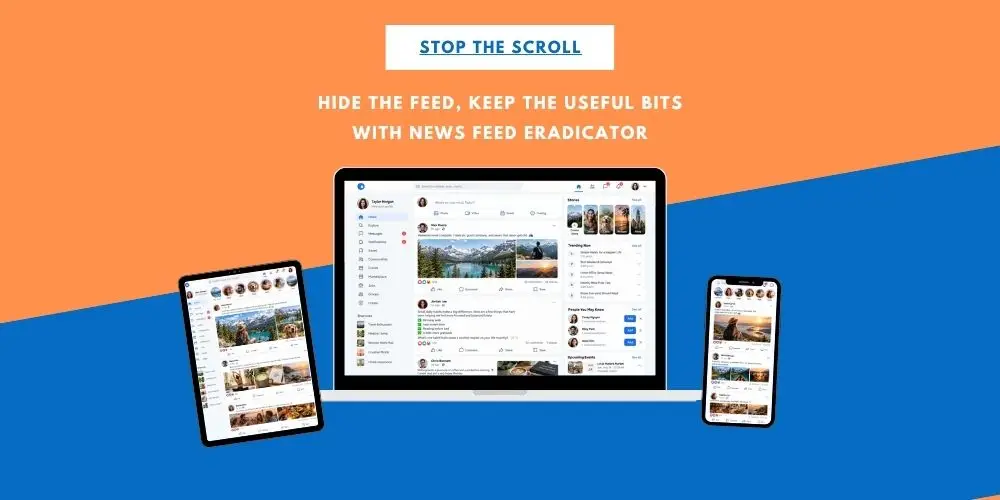
News Feed Eradicator Browser Extension: Stop Scrolling
You open Facebook because you need to check a group, reply to a message or post something for your business.
Twenty minutes later, you are watching a video you never went looking for, reading a discussion you have no intention of joining and wondering what you actually opened Facebook to do in the first place.
Sound familiar?
That was why I liked a tip shared by Costa Woman, Samantha Morrison, recently: the News Feed Eradicator Browser extension.
It doesn’t stop you using social media. It removes the part most likely to pull you away from what you went there to do.
What does News Feed Eradicator do?
News Feed Eradicator is a browser extension that hides the main news feed on sites such as Facebook and LinkedIn.
You can still log in. You can still visit groups, pages, profiles, and messages. You can still post and respond to people.
What disappears is that endless stream of content waiting to catch your attention.
Instead of the feed, you see a blank space with a quotation.
It means you can go into Facebook to check your Costa Women group, answer a message, or post for your business without automatically getting drawn into everything else happening on the platform.
Why is scrolling so distracting?
The problem is not necessarily that we spend time on social media.
For many of us, social media is part of our work. We use it to market our businesses, keep in touch with communities, attend groups and events and find useful information.
The problem is when five intentional minutes turn into half an hour of unintentional scrolling.
You may not even realise you are doing it.
Opening Facebook, LinkedIn or another platform can become automatic. Once the feed appears, there is always one more post to read, one more comment to check and one more video to watch.
Removing the feed puts you back in control of why you opened the platform in the first place.
You don’t have to leave social media to use it less
This was the part I liked most.
There are lots of conversations about deleting apps, taking social-media breaks or avoiding certain platforms completely.
But that isn’t realistic for everyone, particularly if social media is part of your business or community life.
News Feed Eradicator gives you another option.
You can still use the parts of the platform that are useful to you, without having the feed constantly competing for your attention.
You can also turn it off whenever you actually want to browse.
And this doesn’t have to be limited to your computer. If you use Android, Firefox gives you the option of creating the same more intentional social-media experience on your phone too. The key is remembering that you need to browse the platform through Firefox rather than opening the normal social-media app.
Choose what you do want to hear from
There is another side to this too.
Rather than allowing every platform and every group to compete for your attention, take a few minutes to decide which notifications you actually want.
For example, within your Costa Women groups, check your notification settings. Depending on the group and platform, you may be able to choose options such as all notifications, highlights or fewer updates.
You don’t have to be notified every time something happens.
Equally, if there is a particular Costa Women group, local area or business community you really don’t want to miss, make sure you haven’t accidentally switched its notifications off.
The aim isn’t to hear from nobody.
It is to make a conscious choice about who you want to hear from, what you want to be notified about and when you want to look.
How to install News Feed Eradicator
News Feed Eradicator Chrome extension works on desktop browsers and can also be used on Android phones through Firefox. It does not alter the normal Facebook, Instagram, or LinkedIn apps themselves..
Installing News Feed Eradicator only takes a few minutes.
On your computer
If you use Chrome, open the Chrome Web Store and search for News Feed Eradicator, then click Add to Chrome and confirm the installation.
If you use Firefox, search for News Feed Eradicator in Firefox Add-ons and install it there.
Once installed, open the extension and choose which social-media feeds you want it to hide. Then use Facebook, LinkedIn or another supported platform as normal through your browser.
You can still visit groups, pages and profiles, send messages and publish posts. What disappears is the main feed that can so easily turn a quick visit into twenty minutes of scrolling.
On an Android phone
News Feed Eradicator can also be installed as an add-on in Firefox for Android.
Install Firefox on your phone, add News Feed Eradicator, then open Facebook or another supported social network inside Firefox.
There is one important difference: the extension works inside the browser. It does not change what you see when you open the normal Facebook, Instagram or LinkedIn apps.
You don’t have to make Firefox your default browser, although you may find it more convenient if you want links to open there automatically.
How can I use News Feed Eradicator on my phone?
Yes, if you have an Android phone and use Firefox.
The important thing to understand is that you need to use the social-media website through Firefox for the extension to work.
So, for Facebook, for example:
Firefox → Facebook.com → News Feed Eradicator works
But:
Facebook app → normal Facebook feed
You can still keep the Facebook app on your phone and use it whenever you want. Using Firefox just gives you another option for those times when you want to go onto Facebook for a particular reason without immediately being pulled into the feed.
If you prefer, you can also make Firefox your default browser so links from emails, WhatsApp and other apps automatically open there.
Stop the scroll
Ali often talks about “Stop the Scroll” from the marketing side: how do you create something interesting enough to make somebody pause when they see your post?
But there is another side to that.
Sometimes we need to stop our own scrolling.
Not because social media is bad, but because our attention has value.
If you went online to complete one task, it is worth noticing how often the feed manages to turn that into ten completely different ones.
A small tool like this might be enough to help you use social media more intentionally rather than letting social media decide how you spend your time.
How easily do you get distracted once you open social media? And have you found anything that helps you stay focused?